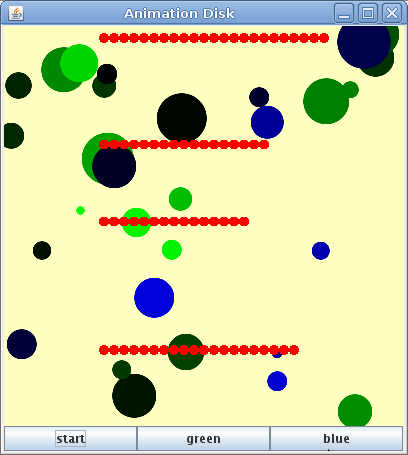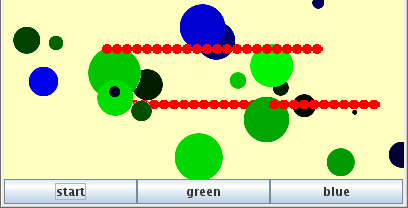
スレッドを使えばpaintImmediatelyを使わずに動かすことができます。動いている間もボタンが使えますから、複数の●を同時に動かせますし、green, blue ボタンも生きていますからこのようにいつでもランダムな円を描き加えることができます。
プログラムは決められた順番にしたがって作業をしていきます。この一連の作業の流れをスレッドといいます。
イベントを待ってボタンを押されたらactionPerformed()を実行するというのも一つのスレッドになっています。javaのイベントのスレッドをイベントディスパッチスレッド(EDT)と言います。
このイベントディスパッチスレッド内で時間のかかる仕事を入れてしまうと次のイベントが起こっても対応できません。そこで、時間のかかる仕事をEDTとは別のスレッドでやらせようという作戦です。
今回は円を描いてそれをゆっくり動かす仕事を別のスレッドにさせて、EDTはボタンのクリックを監視する作業にもどります。
import java.awt.*;
import javax.swing.*;
import java.awt.event.*;
import java.awt.image.BufferedImage;

public class AnimeDisk2 extends JFrame implements ActionListener{
    JButton rbtn;
    JButton gbtn;
    JButton bbtn;
    MyPanel mypnl;
    //コンストラクタ
    public AnimeDisk2() {
        setDefaultCloseOperation(EXIT_ON_CLOSE);
        setTitle("Animation Disk");
        mypnl = new MyPanel(400,400);
        rbtn = new JButton("start"); //今回はこれだけ使用
        gbtn = new JButton("green");
        bbtn = new JButton("blue");
        JPanel btnpnl = new JPanel();
        btnpnl.setLayout(new GridLayout(1,3,0,0));
        btnpnl.add(rbtn);
        btnpnl.add(gbtn);
        btnpnl.add(bbtn);
        setLayout(new BorderLayout());
        add(mypnl, BorderLayout.CENTER);
        add(btnpnl,BorderLayout.SOUTH);
        rbtn.addActionListener(this);
        gbtn.addActionListener(this);
        bbtn.addActionListener(this);
        pack();
        setVisible(true);
    }
    //イベント処理
    @Override
    public void actionPerformed(ActionEvent e) {
        if (e.getSource() == rbtn) {
            //mypnl.moveDisk();    //●を描くメソッド
            MoveDisk disk = new MoveDisk(mypnl);
            disk.start();
        }
        if (e.getSource() == gbtn) {
            mypnl.drawToBuff('g');
        }
        if (e.getSource() == bbtn) {
            mypnl.drawToBuff('b');
        }
    }
    public static void main(String[] args){
        AnimeDisk2 myframe = new AnimeDisk2();
    }
} //end of AnimeDisk2

//クラス
class MyPanel extends JPanel{
    BufferedImage buffimg;
    Graphics2D bfg;
    Color bgcolor= new Color(255,255,191);  //背景の色
    public MyPanel(int width, int height){
        setPreferredSize(new Dimension(width,height));
        int r=2;
        buffimg = new BufferedImage(
                      width*r,height*r,BufferedImage.TYPE_INT_RGB);
        bfg = buffimg.createGraphics();
        bfg.setRenderingHint(RenderingHints.KEY_ANTIALIASING,
                                 RenderingHints.VALUE_ANTIALIAS_ON);
        bfg.setColor(bgcolor);
        bfg.fillRect(0, 0, buffimg.getWidth(), buffimg.getHeight());
    }
    @Override
    public void paintComponent(Graphics myg){
        //super.paintComponent(myg);
        int pnlw = getSize().width;
        int imgh = buffimg.getHeight() * pnlw / buffimg.getWidth();
        myg.drawImage(buffimg, 0, 0, pnlw, imgh, this);
        //getSize().widthはMyPanelのインスタンスの幅
    }
    public void drawToBuff(char rgb){
        for(int i=0; 10>i; i++){
            Color rcolor = randomColor(rgb);
            bfg.setColor(rcolor);
            int x = (int)(buffimg.getWidth()*Math.random());
            int y = (int)(buffimg.getHeight()*Math.random());
            int h = (int)(buffimg.getWidth()*Math.random()/8+buffimg.getWidth()/80);
            bfg.fillOval(x-h/2,y-h/2,h,h);
        }
        repaint();
    }
    public Color randomColor(char rgb){
        int r=0;
        int g=0;
        int b=0;
        int dc=256;
        int x = (int)(dc*Math.random());
        if (x > 255){
            x = 0;
        }
        if (rgb=='r') r=x;
        if (rgb=='g') g=x;
        if (rgb=='b') b=x;
        Color c = new Color(r,g,b);
        return c;
    }
} //end of MyPanel
//クラス
class MoveDisk extends Thread {
    int x;
    int y;
    int d, dx;
    int xmax, ymax;
    Graphics2D thg;
    MyPanel mypnl;
    BufferedImage buffimg;

    public MoveDisk(MyPanel mypnl) {
        this.mypnl = mypnl;
        this.buffimg = mypnl.buffimg;
        thg  = buffimg.createGraphics();
        thg.setRenderingHint(RenderingHints.KEY_ANTIALIASING,
                                 RenderingHints.VALUE_ANTIALIAS_ON);
        xmax = buffimg.getWidth();
        ymax = buffimg.getHeight();
        x = xmax/4;  //100
        y = (int)(ymax*Math.random());
        d = xmax/40;  //円の大きさ 10
        dx = xmax/40; //動きの大きさ 10
    }
    @Override
    public void run() {
        thg.setColor(Color.red);
        while ( xmax > x ){
            thg.fillOval(x-d/2,y-d/2,d,d);
            mypnl.repaint();
            x+=dx;
            //100ms(0.1秒)停止
            try {
                Thread.sleep(100);
            }
            catch(InterruptedException ex) {
                System.err.println(ex);
            }
        }
    }
} //end of MoveDisk
前回の AnimeDisk1.java の方針を変更して、MyPanelもAnimeDisk1クラス内に書くことをやめ、独立させました。一つのファイルの中に2つ以上のpublicなクラスを書けないのでpublicを消します。また、{ }に注意。(下記「クラスの方針変更」参照)
一番大きな変更はmoveDisk()メソッドをMoveDiskという独立したクラスにしたことです。そのために最後に持っていっています。これはThreadを継承するためです。
それに合わせて、イベント処理(actionPerformed)で、mypnl.moveDisk()の代わりにスレッドの作成(new MoveDisk(mypnl))と実行(start)をしています。
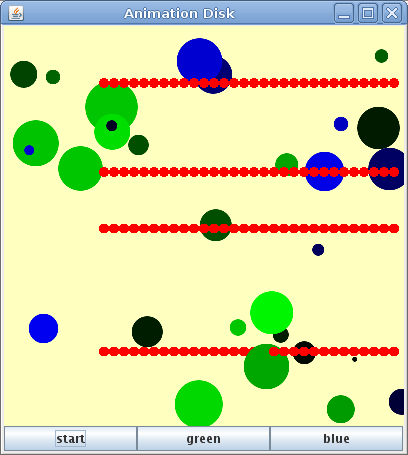
実行すると次の様になります。
moveDiskメソッドをクラスにするのに、MyPanelと同じ様に内部クラス(クラスの中で定義するクラス)にする手もあります。
内部クラスにすると{ }の入れ子が深くなりクラスの範囲が見えにくくなるので、方針を変更しMyPanelも普通のクラスとしました。
冒頭の「今回の目標」が達成されていることを確認しなさい。
MoveDisk(BufferedImage img)を別クラスでつくると、repaint()が発行できなくなります。
import java.awt.*;
import javax.swing.*;
import java.awt.event.*;
import java.awt.image.BufferedImage;

public class AnimeDisk2 extends JFrame implements ActionListener{
    JButton rbtn;
    JButton gbtn;
    JButton bbtn;
    MyPanel mypnl;
    //コンストラクタ
    public AnimeDisk2() {
        setDefaultCloseOperation(EXIT_ON_CLOSE);
        setTitle("Animation Disk");
        mypnl = new MyPanel(400,400);
        rbtn = new JButton("start"); //今回はこれだけ使用
        gbtn = new JButton("green");
        bbtn = new JButton("blue");
        JPanel btnpnl = new JPanel();
        btnpnl.setLayout(new GridLayout(1,3,0,0));
        btnpnl.add(rbtn);
        btnpnl.add(gbtn);
        btnpnl.add(bbtn);
        setLayout(new BorderLayout());
        add(mypnl, BorderLayout.CENTER);
        add(btnpnl,BorderLayout.SOUTH);
        rbtn.addActionListener(this);
        gbtn.addActionListener(this);
        bbtn.addActionListener(this);
        pack();
        setVisible(true);
    }
    //イベント処理
    @Override
    public void actionPerformed(ActionEvent e) {
        if (e.getSource() == rbtn) {
            //mypnl.moveDisk();    //●を描くメソッド
            MoveDisk disk = new MoveDisk(mypnl.buffimg);
            disk.start();
        }
        if (e.getSource() == gbtn) {
            mypnl.drawToBuff('g');
        }
        if (e.getSource() == bbtn) {
            mypnl.drawToBuff('b');
        }
    }
    public static void main(String[] args){
        AnimeDisk2 myframe = new AnimeDisk2();
    }
    //内部クラス
    public class MyPanel extends JPanel{
       BufferedImage buffimg;
       Graphics2D bfg;
       Color bgcolor= new Color(255,255,191);  //背景の色
       public MyPanel(int width, int height){
            setPreferredSize(new Dimension(width,height));
            int r=2;
            buffimg = new BufferedImage(
                      width*r,height*r,BufferedImage.TYPE_INT_RGB);
            bfg = buffimg.createGraphics();
            bfg.setRenderingHint(RenderingHints.KEY_ANTIALIASING,
                                 RenderingHints.VALUE_ANTIALIAS_ON);
            bfg.setColor(bgcolor);
            bfg.fillRect(0, 0, buffimg.getWidth(), buffimg.getHeight());
       }
       @Override
       public void paintComponent(Graphics myg){
           //super.paintComponent(myg);
           int pnlw = getSize().width;
           int imgh = buffimg.getHeight() * pnlw / buffimg.getWidth();
           myg.drawImage(buffimg, 0, 0, pnlw, imgh, this);
           //getSize().widthはMyPanelのインスタンスの幅
       }
       public void drawToBuff(char rgb){
          for(int i=0; 10>i; i++){
                Color rcolor = randomColor(rgb);
                bfg.setColor(rcolor);
                int x = (int)(buffimg.getWidth()*Math.random());
                int y = (int)(buffimg.getHeight()*Math.random());
                int h = (int)(buffimg.getWidth()*Math.random()/8+buffimg.getWidth()/80);
                bfg.fillOval(x-h/2,y-h/2,h,h);
          }
          repaint();
       }
       public Color randomColor(char rgb){
          int r=0;
          int g=0;
          int b=0;
          int dc=256;
          int x = (int)(dc*Math.random());
          if (x > 255){
             x = 0;
           }
          if (rgb=='r') r=x;
          if (rgb=='g') g=x;
          if (rgb=='b') b=x;
          Color c = new Color(r,g,b);
          return c;
       }
    }
}
//円を動かすクラス
class MoveDisk extends Thread {
    //BufferedImage buffimg;
    int x;
    int y;
    int d, dx;
    int xmax, ymax;
    Graphics2D thg;
    //BufferedImage img;

    public MoveDisk(BufferedImage img) {
        thg  = img.createGraphics();
        xmax = img.getWidth();
        ymax = img.getHeight();
        x = img.getWidth()/4;  //100
        y = (int)(img.getHeight()*Math.random());
        d = img.getWidth()/40;  //円の大きさ 10
        dx = img.getWidth()/40; //動きの大きさ 10
	}
    @Override
    public void run() {
         thg.setColor(Color.red);
         while ( xmax > x ){
                thg.fillOval(x-d/2,y-d/2,d,d);
                //repaint();
                x+=dx;
                //100ms(0.1秒)停止
                try {
                    Thread.sleep(100);
                }
                catch(InterruptedException ex) {
                    System.err.println(ex);
                }
           }
      }
}
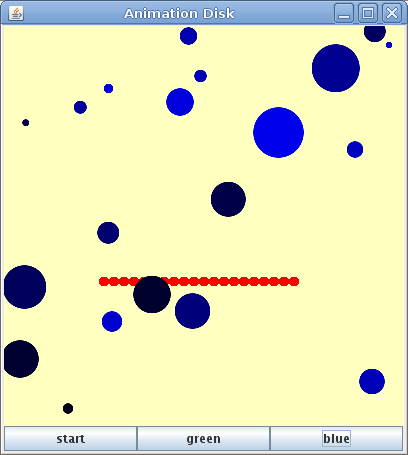
他のボタンを押すと途中経過が表示されます。
さすがに全部を内部クラスにすれば変数は自由自在に使えますが、さすがに見通しは悪くなります。
import java.awt.*;
import javax.swing.*;
import java.awt.event.*;
import java.awt.image.BufferedImage;

public class AnimeDisk2 extends JFrame implements ActionListener{
    JButton rbtn;
    JButton gbtn;
    JButton bbtn;
    MyPanel mypnl;
    //コンストラクタ
    public AnimeDisk2() {
        setDefaultCloseOperation(EXIT_ON_CLOSE);
        setTitle("Animation Disk");
        mypnl = new MyPanel(400,400);
        rbtn = new JButton("start"); //今回はこれだけ使用
        gbtn = new JButton("green");
        bbtn = new JButton("blue");
        JPanel btnpnl = new JPanel();
        btnpnl.setLayout(new GridLayout(1,3,0,0));
        btnpnl.add(rbtn);
        btnpnl.add(gbtn);
        btnpnl.add(bbtn);
        setLayout(new BorderLayout());
        add(mypnl, BorderLayout.CENTER);
        add(btnpnl,BorderLayout.SOUTH);
        rbtn.addActionListener(this);
        gbtn.addActionListener(this);
        bbtn.addActionListener(this);
        pack();
        setVisible(true);
    }
    //イベント処理
    @Override
    public void actionPerformed(ActionEvent e) {
        if (e.getSource() == rbtn) {
            //mypnl.moveDisk();    //●を描くメソッド
            MoveDisk disk = new MoveDisk(mypnl.buffimg);
            disk.start();
        }
        if (e.getSource() == gbtn) {
            mypnl.drawToBuff('g');
        }
        if (e.getSource() == bbtn) {
            mypnl.drawToBuff('b');
        }
    }
    public static void main(String[] args){
        AnimeDisk2 myframe = new AnimeDisk2();
    }
    //内部クラス
    public class MyPanel extends JPanel{
       BufferedImage buffimg;
       Graphics2D bfg;
       Color bgcolor= new Color(255,255,191);  //背景の色
       public MyPanel(int width, int height){
            setPreferredSize(new Dimension(width,height));
            int r=2;
            buffimg = new BufferedImage(
                      width*r,height*r,BufferedImage.TYPE_INT_RGB);
            bfg = buffimg.createGraphics();
            bfg.setRenderingHint(RenderingHints.KEY_ANTIALIASING,
                                 RenderingHints.VALUE_ANTIALIAS_ON);
            bfg.setColor(bgcolor);
            bfg.fillRect(0, 0, buffimg.getWidth(), buffimg.getHeight());
       }
       @Override
       public void paintComponent(Graphics myg){
           //super.paintComponent(myg);
           int pnlw = getSize().width;
           int imgh = buffimg.getHeight() * pnlw / buffimg.getWidth();
           myg.drawImage(buffimg, 0, 0, pnlw, imgh, this);
           //getSize().widthはMyPanelのインスタンスの幅
       }
       public void drawToBuff(char rgb){
          for(int i=0; 10>i; i++){
                Color rcolor = randomColor(rgb);
                bfg.setColor(rcolor);
                int x = (int)(buffimg.getWidth()*Math.random());
                int y = (int)(buffimg.getHeight()*Math.random());
                int h = (int)(buffimg.getWidth()*Math.random()/8+buffimg.getWidth()/80);
                bfg.fillOval(x-h/2,y-h/2,h,h);
          }
          repaint();
       }
       public Color randomColor(char rgb){
          int r=0;
          int g=0;
          int b=0;
          int dc=256;
          int x = (int)(dc*Math.random());
          if (x > 255){
             x = 0;
           }
          if (rgb=='r') r=x;
          if (rgb=='g') g=x;
          if (rgb=='b') b=x;
          Color c = new Color(r,g,b);
          return c;
       }
    }

    //クラス内クラス
    class MoveDisk extends Thread {
        //BufferedImage buffimg;
        int x;
        int y;
        int d, dx;
        int xmax, ymax;
        Graphics2D thg;
        //BufferedImage img;

        public MoveDisk(BufferedImage img) {
            thg  = img.createGraphics();
            xmax = img.getWidth();
            ymax = img.getHeight();
            x = img.getWidth()/4;  //100
            y = (int)(img.getHeight()*Math.random());
            d = img.getWidth()/40;  //円の大きさ 10
            dx = img.getWidth()/40; //動きの大きさ 10
        }
        @Override
        public void run() {
            thg.setColor(Color.red);
            while ( xmax > x ){
                thg.fillOval(x-d/2,y-d/2,d,d);
                mypnl.repaint();
                x+=dx;
                //100ms(0.1秒)停止
                try {
                    Thread.sleep(100);
                }
                catch(InterruptedException ex) {
                    System.err.println(ex);
                }
            }
        }
    }
}
OK。