すでにできている人もさらにユニークなものを求めてください。
一番の出来をEventRandom6.javaとして保存してください。(必ず java EventRandom6 で実行できるようにしておくこと)
drawRdmやnextColorを変更するのが割と楽です。
例をあげますから、このまま使わずに変更を加えたり、やり方を学んだりしてください。
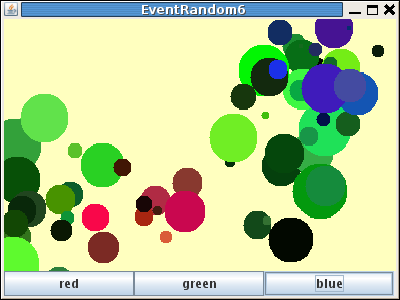
public void drawRdm(char rgb) {
    int xx = (int)(400*Math.random());
    int yy = (int)(300*Math.random());
    for(int i=0; 10>i; i++){
        nextColor(rgb);
        bfg.setColor(c);
        int x = (int)(xx+100*(Math.random()-0.5));
        int y = (int)(yy+100*(Math.random()-0.5));
        int h = (int)(50*Math.random()+5);
        bfg.fillOval(x-h/2,y-h/2,h,h);
    }
}
こうなります
400*Math.random()は0から400までのでたらめな数を用意します。
(int)(数式)は計算するとdoubleの数になるものを整数に変換します。
fillOvalなどは引数が整数でないとコンパイルが通りません。
public void drawRdm(char rgb) {
    int xx = (int)(400*Math.random());
    int yy = (int)(300*Math.random());
    for(int i=0; 100>i; i++){
        nextColor(rgb);
        bfg.setColor(c);
        int x = (int)(xx+100*Math.random()-50);
        int y = (int)(yy+100*Math.random()-50);
        int dx = (int)(50*Math.random()+5);
        int dy = (int)(50*Math.random()+5);
        bfg.drawLine(x,y,x+dx,y+dy);
    }
}
こうなります
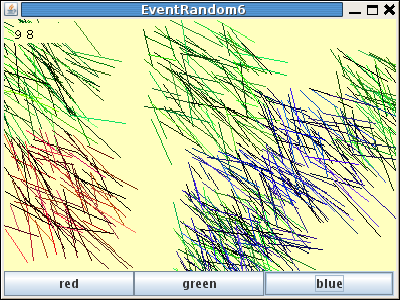
円の代わりにdrawLineで線を引いています。
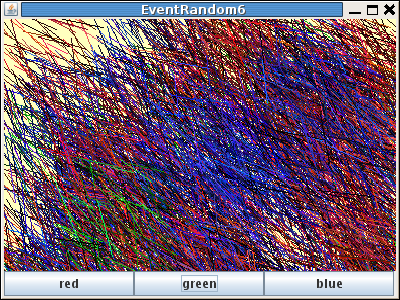
線の数を多くするとまた印象が変わります。
public void drawRdm(char rgb) {
    int x = (int)(400*Math.random());
    int y = (int)(300*Math.random());
    int xx = (int)(dx*2*Math.random()-dx);
    int yy = (int)(dx*2*Math.random()-dx);
    for(int i=0; 100>i; i++){
        nextColor(rgb);
        bfg.setColor(c);
        x += (int)(xx+dx*Math.random()-dx/2);
        y += (int)(yy+dx*Math.random()-dx/2);
        int h = (int)(20*Math.random()+5);
        bfg.fillOval(x-h/2,y-h/2,h,h);
    }
}
こうなります
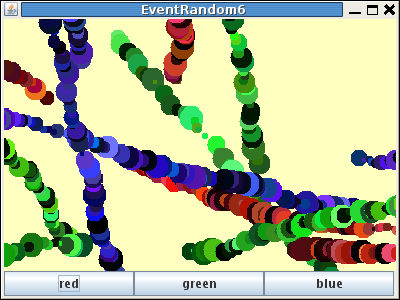
円を直線上に配置し、角度と進み具合をランダムにしています。
数を多くするとまた印象が変わります。
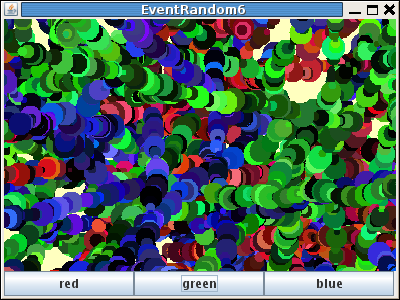
ヒントだけ。線と円、四角を組み合わせたり、文字を使うという手もあります。
例の1から3まで同じnextColor(rgb)を使っています。これも変えるとまた違ったものになります。
public void drawRdm(char rgb) {
    int x = (int)(400*Math.random());
    int y = (int)(300*Math.random());
    for(int i=255; i>0; i--){
        nextColor(rgb,255-i);
        bfg.setColor(c);
        int h = i;
        bfg.fillOval(x-h/2,y-h/2,h,h);
    }
}
public void nextColor(char rgb,int i){
   int r=0;
   int g=0;
   int b=0;
   if (rgb=='r'){
       r = i;
   }
   if (rgb=='g'){
       g = i;
   }
   if (rgb=='b'){
       b = i;
   }
   c = new Color(r,g,b);
}
こうなります
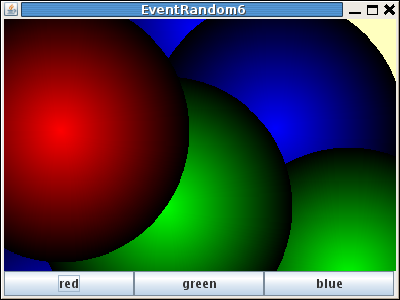
nextColor(rgb);をnextColor(rgb,255-i);にすることで色をランダムでなくiを使った色に指定しています。255-iでなくただのiにすると中央部が明るい円になります。
int h = i;をint h = i/2;にすると半分の大きさになります。
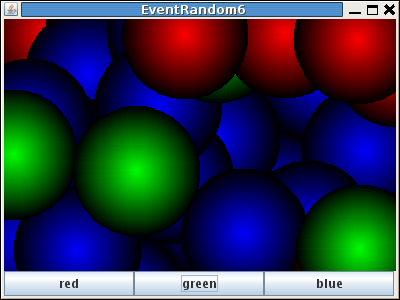
public void nextColor(char rgb){
    int r=0;
    int g=0;
    int b=0;
    if (rgb=='r'){
        r = (int)(256*Math.random());
        g = (int)(r*Math.random()/2);
        b = (int)(r*Math.random()/2);
    }
    if (rgb=='g'){
        g = (int)(256*Math.random());
        b = (int)(g*Math.random()/2);
        r = (int)(g*Math.random()/2);
    }
    if (rgb=='b'){
        b = (int)(256*Math.random());
        r = (int)(b*Math.random()/2);
        g = (int)(b*Math.random()/2);
    }
    c = new Color(r,g,b);
}
こうなります
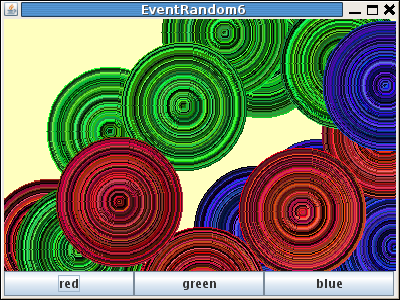
例5のnextColor(rgb,255-i);をnextColor(rgb);に戻して、nextColor()を例の1から3までで使っていたものに変えたものです。
public void nextColor(char rgb){
   int r=c.getRed();
   int g=c.getGreen();
   int b=c.getBlue();
   if (rgb=='r'){
       r += 1;
       b -= 1;
   }
   if (rgb=='g'){
       r -= 1;
       g += 1;
   }
   if (rgb=='b'){
       g -= 1;
       b += 1;
   }
   if (r>255) r=255;
   if (g>255) g=255;
   if (b>255) b=255;
   if (0>r) r=0;
   if (0>g) g=0;
   if (0>b) b=0;
   c = new Color(r,g,b);
}
こうなります
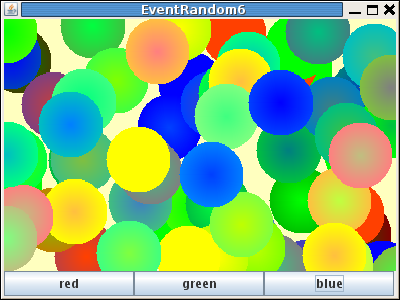
r++ でなく r+=1 なのは、r+=2 など色々試したからです。r,g,bは0から255の間になければならないので対策をしています。